Ranges decide which color each day gets. This guide explains how to read them and how to set them up for the yarn you have.
How Ranges Work
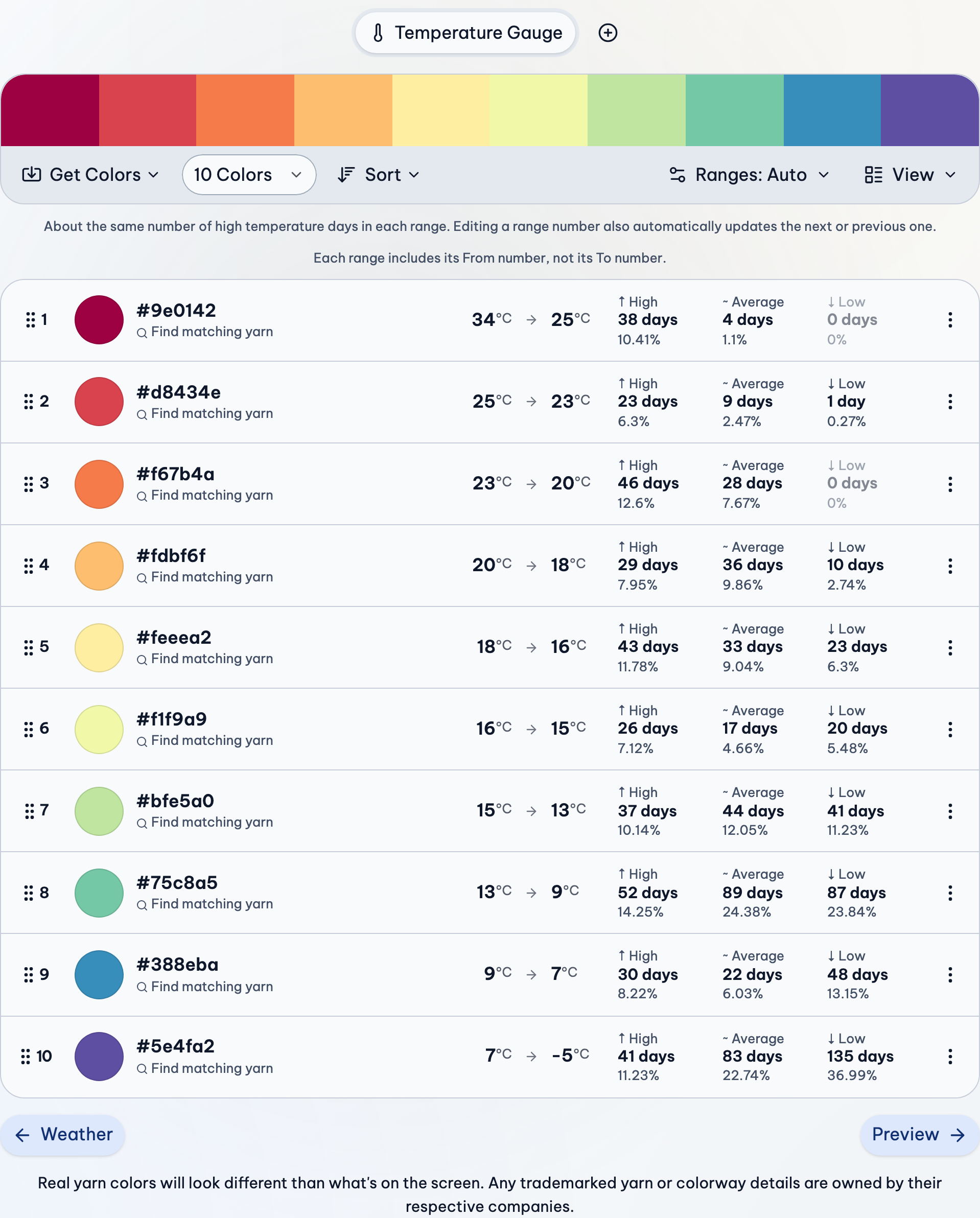
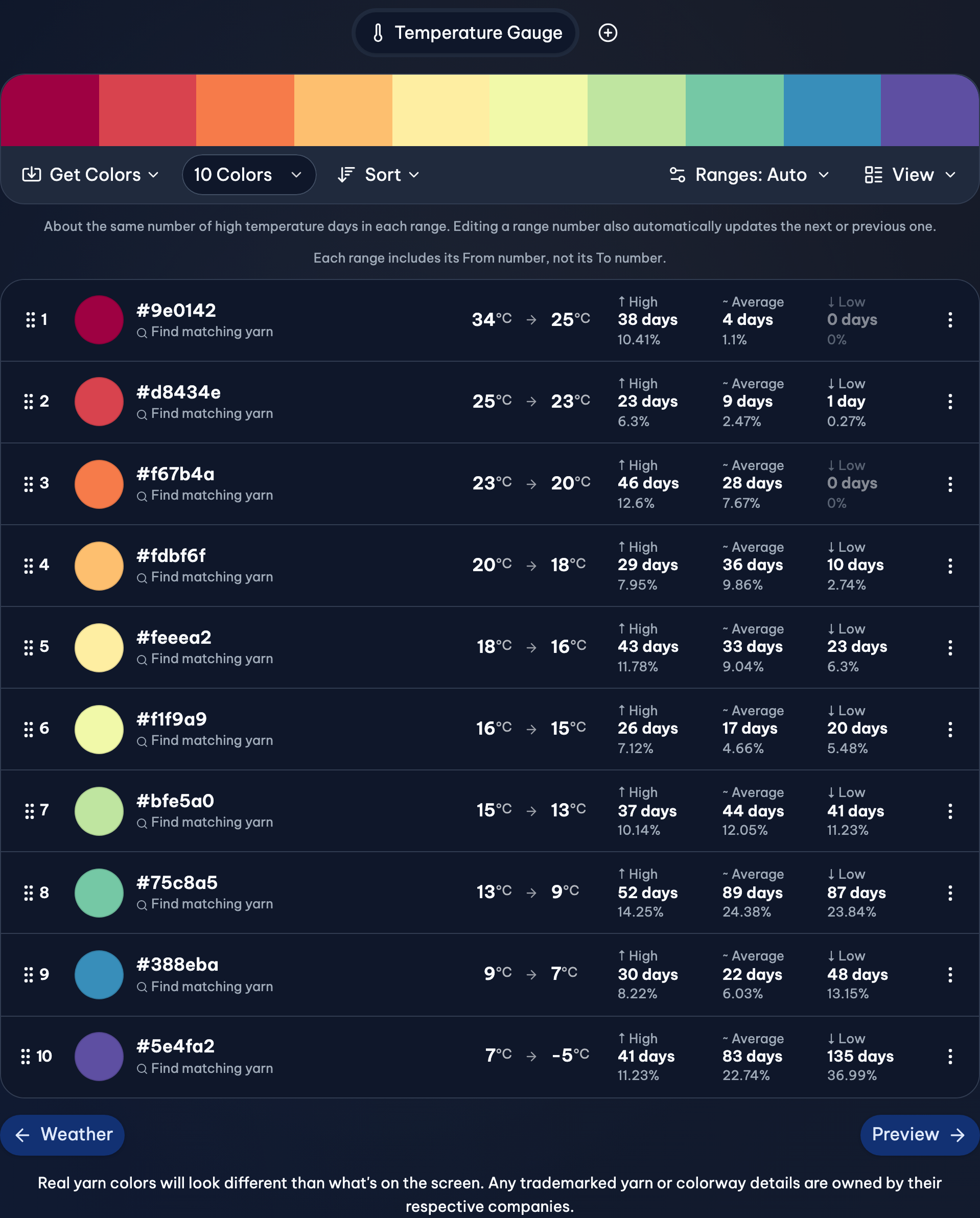
Each color in the gauge has a range beside it, From → To. With 30 → 25, a day that's 27° gets that color. You choose whether the day's high, average or low temperature is used in the preview's settings.
The numbers repeat on purpose (30 → 25, then 25 → 20). By default, a range includes its first number but not its last, so 25° goes in 25 → 20 and never in both. A sentence above the ranges says how yours work.
Use Every Color About Equally
This is handy if you want to buy the same amount of each yarn. Most days are mild, so with equal-sized ranges, the middle colors get used much more than the ones at the ends.
- Press Ranges above the colors.
- Under Auto ranges, choose Equal days, by the temperature your preview uses (High, Average or Low).
To check, look beside each color for its number of days and its share of the blanket (Days in ranges, in View).
Round Steps, Like Every 5°
Round steps are easy to read off a thermometer, and they stay the same from year to year.
- Press Ranges, then Manual steps…
- Fill in Every (like 5) and From (where the first range starts, like 35).
- Press Save.
Your hottest and coldest days need a range too. If either end is left out, add a color, or choose a bigger step.
Fit the Ranges to the Yarn You Have
If you have 9 colors of yarn, choose 9 Colors in the toolbar at the top of the gauge, beside Get Colors. Then change any range by hand:
- Press a range's number.
- Type the new number, and press Save.
With Linked ranges on (in the Ranges menu), the next range moves with it, so no days are left out. The Ranges button now says Edited; choosing Auto ranges or Manual steps again replaces your edits (Undo brings them back).
Ranges That Don't Repeat (0 → 9, 10 → 19)
Some patterns write ranges this way. To match one:
- Press Ranges, and set Each range includes to Both From and To.
- Turn off Linked ranges, and type each range.
Watch out for gaps. A day of 9.5° doesn't fit in 0 → 9 or 10 → 19. Use decimals to cover them, like 0 → 9.99 and 10 → 19.99. To check, add up the days beside the colors. They should add up to the number of days in your project.
If Something Goes Wrong
My ranges changed by themselves
Auto ranges are remade when the weather or the number of colors changes. To keep them, edit one range (the button says Edited), or use Manual steps.
A day is in two ranges
It takes the color of the first one, the higher one in the list. Change the ends so they don't overlap.
The ranges go the wrong way
Choose Direction in the Ranges menu: High to low or Low to high.
More Detail
- Gauges & Ranges: Gauges, their ranges, and every option in the Ranges menu.
- Colors & Yarn: Getting colors, choosing yarn colorways, and sorting, pasting and exporting them.
- Preview: Preview patterns, their settings, your progress, and seasons.