Version 6: Improved Sun Position Accuracy
July 9, 2026
Hello! This is Thomas, the developer of temperature-blanket.com. In this post I'll be sharing what's new in Version 6 of the Temperature Blanket Web App. It's not a big update compared to previous major releases, but it does include a change that may affect some saved projects.
What's in this update?
Improved Daylight Accuracy
Version 6 improves the accuracy of daylight times for weather data in the Project Planner. A dependency update to the sun position library (SunCalc) used in this web app results in more accurate calculations of sunrise and sunset times. You may not notice a difference, but now Daytime in the weather data is more accurate, and stitch counts for Daytime Rows previews are also more accurate.
Margin of Error for Sunrise/Sunset Times
| Version 5 | Version 6 | Improvement |
|---|---|---|
| ~75 seconds | ~15 seconds | ~5× better |
Data from SunCalc 2.0.0 release notes
Appearance Customization
Along with the improved sun position accuracy, Version 6 introduces several new customization options for the web app's appearance. In Version 5, many of these styles were bundled together in a single theme, but now you can customize each aspect separately, such as colors, button styles, font styles, and spacing.
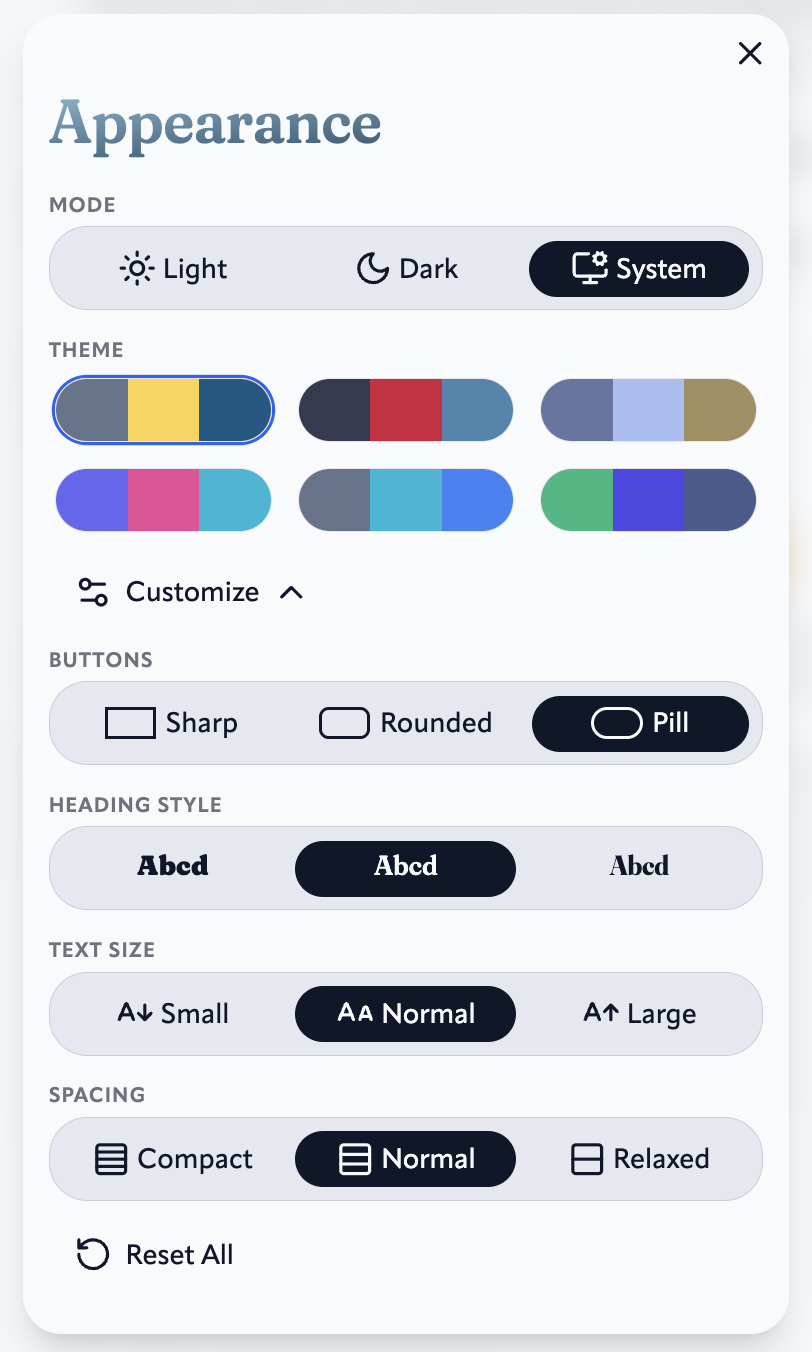
These settings can be found by pressing the Appearance button in the App Navigation menu.
Changes That May Affect Some Saved Projects
Which Projects are Affected?
Most projects will not be affected by the Version 6 update. However, the following types of projects may be affected only if fetching new weather data (all projects saved locally with weather data are not affected):
- Saved projects that used a Daytime Gauge
- Saved projects that used the Daytime Rows preview
A quick way to determine if a project is affected is to check if you see the following when opening the project:
Loaded project and weather data
If you see the Loaded project and weather data notice, then the project is not affected, since it is loading locally saved weather data. If you need to click the Search button to get weather data, then the project may be affected by the Version 6 update if it meets either of the two criteria listed above.
What are the Changes to Affected Projects?
Affected projects' daytime data may be slightly different. This is because of the update for how daytime is calculated in Version 6.
Difference in Daytime data from Version 5 to Version 6
| Date | Version 5 Daytime | Version 6 Daytime | Difference |
|---|---|---|---|
| 2025-01-01 | 5:37 | 5:40 | 3 minutes |
| 2025-01-02 | 5:39 | 5:43 | 4 minutes |
| 2025-01-03 | 5:42 | 5:45 | 3 minutes |
Example data from Anchorage, Alaska
If there is a difference in daytime, it is usually just a few minutes difference. Locations closer to the equator will have less difference in daylight (and often no difference), whereas locations closer to the Earth's poles will have a greater difference in daylight.
For an affected project using the Daytime Rows preview, the stitch count may be slightly different. This is because the stitch count relies on the updated daytime data:
Difference in Daytime Rows stitch count from Version 5 to Version 6
| Date | Version 5 Daytime stitches (left side) | Version 6 Daytime stitches (left side) | Difference |
|---|---|---|---|
| 2025-01-01 | 70 | 71 | 1 stitch |
| 2025-01-02 | 71 | 71 | none |
| 2025-01-03 | 71 | 72 | 1 stitch |
Example data from Anchorage, Alaska
If there is a difference in the stitch count, it is usually just a one-or-two-stitch difference.
What Should I Do if my Project was Affected?
For projects using a Daytime Gauge
If a saved project used a Daytime Gauge, the ranges may no longer accurately represent the new daytime data, since they were originally set (either automatically or manually) using the old data. To fix this: Update the gauge ranges (either automatically or manually) using the Configure Ranges button in the Colors tab. Note that if you are currently working on the project, this will change your gauge ranges going forward, so you may need to update which yarn colorways you use for certain days. You can also choose to continue to use the old gauge ranges, and simply decide on-the-spot what color to use if you come to a day that doesn't fit into a range.
For projects using the Daytime Rows preview
If a saved project used the Daytime Rows preview, I would recommend simply using the updated stitch count for your project going forward. If you've already saved the old stitch count and want to use that, you can do that too. Since the difference is usually just one or two stitches if any, it won't make that much of a difference for your overall project.
Accessing the Older Version 5
If you'd like to keep using the old Version 5 Project Planner, I've made it available as an archived site at archive-v5.temperature-blanket.com. To open your saved project, simply add archive-v5. before the temperature-blanket.com part of your saved project's URL.
Feedback
As always, if you have feedback of any kind, or encounter any issues, please let me know through any of the methods listed on the contact page. Thank you!