Every project starts with a place and the dates your blanket covers. They're at the top of the Project Planner. Once they're set, press Get Weather Data to get the weather.
Choose a Place
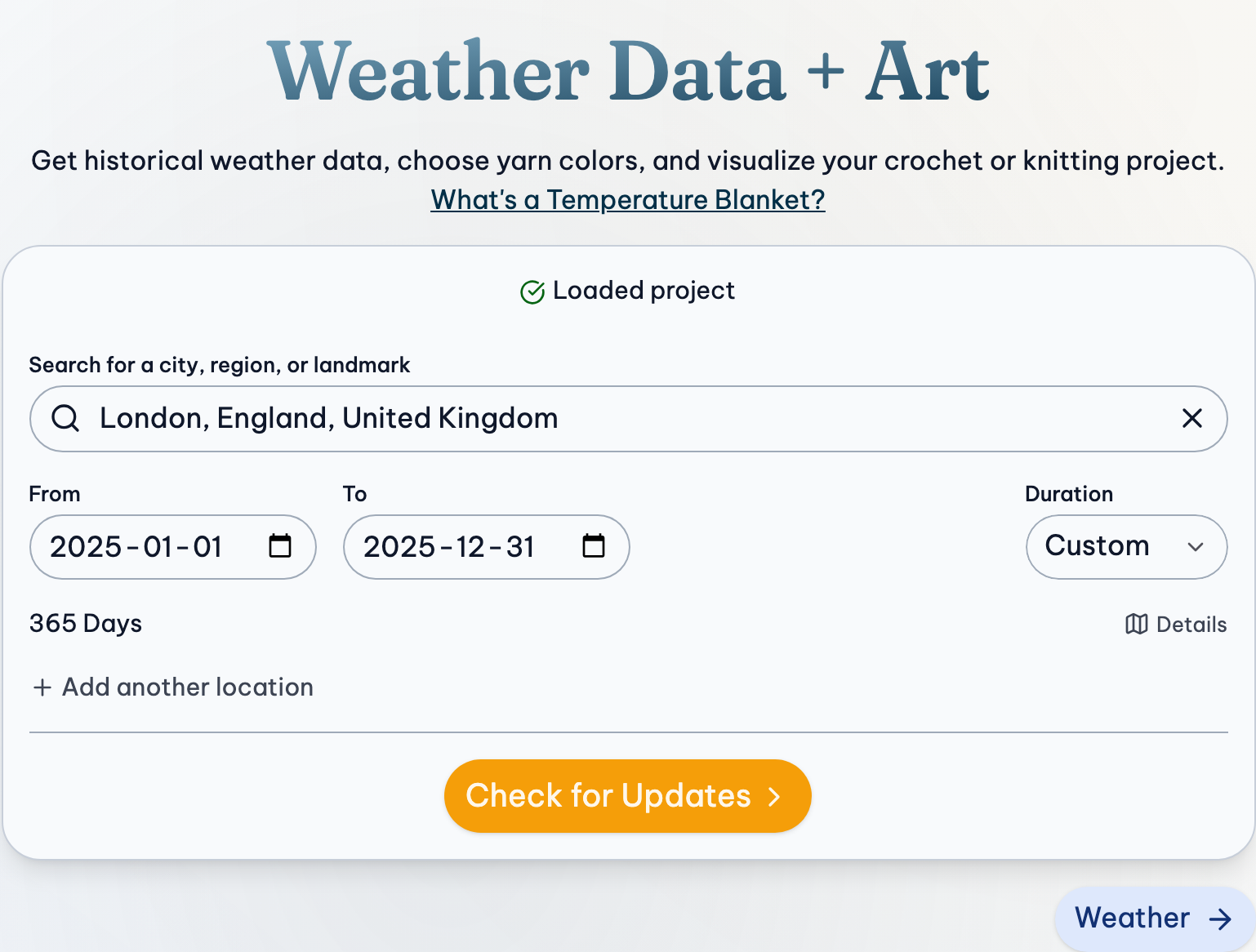
- Type a city, region or landmark in the search box.
- Choose your place from the list that appears. Typing a name isn't enough, and until you choose one from the list, the box says Choose a result.
Or press My Location to use where you are now. Your browser asks first.
Once a place is chosen, Details shows its type, population and latitude and longitude, with a link to more about it. To search again, press ✕ in the search box.
Small places aren't always listed. If yours isn't, choose a nearby town. The weather covers an area around a place anyway.
Choose Dates
Choose a Duration:
- One Year: choose the Year, Month and Day it starts, and it lasts a year from then.
- Custom: choose any From and To dates, up to 370 days.
The number of days shows under the dates. Weather is only there for days that have passed, up to yesterday. A year that isn't over yet is fine. Days that haven't happened yet are left out for now, and are added when you press Get Weather Data later. Making a blanket for this year.
More Than One Place
A blanket can cover more than one place, like a trip, the places you've lived, or the same day in different years. Once a place and its dates are chosen, press Add another location (under the dates) for another place with its own dates, up to 200 of them. Their weather is put together in order, one location after another, and the total number of days shows below.
To remove one, press Remove beside its number of days.
If Something Goes Wrong
"Whoa! There's been a problem."
The place search couldn't reach the service that lists places. If you're offline, it says so. Otherwise refresh the page, or try again later.
"Unable to retrieve your location"
My Location needs your permission. Allow location for this site in your browser's settings, or type a place instead.
A message under the dates
- The starting date must be at least one day in the past. Choose an earlier start.
- Please select a maximum of 370 days. Shorten the dates, or split them into two locations.
- …the selected end date comes before the selected start date. Swap them.
The places and dates can't be changed
You've edited or imported weather, so they're locked to keep your changes. Press Get Weather Data, then Reload Weather Data, to start over with the weather source, or open a new project.
Related Guides
- Plan a Blanket, Start to Finish: Every step of a temperature blanket project, from choosing a place to printing the project.
- Crochet or Knit Along All Year: Making a blanket for this year, one row a day, and keeping the same project going as the weather comes in.